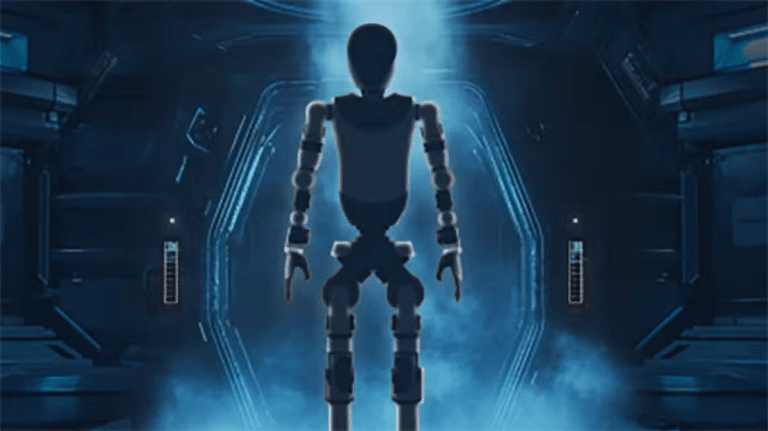
VITURE Pro 2 Review: A 146-Inch Screen That Weighs 63 Grams
- Sharp, bright 146-inch virtual screen in a 63 g frame
- Built-in short-sightedness dials mean most glasses wearers skip inserts
- True plug and play, with no power button or setup
- Small open speakers leak sound to those around you
- No head tracking or electronic dimming
- Switch 2 gaming needs the separately sold dock
63 grams. A 146-inch screen. A$499.
That’s the pitch for the VITURE Pro 2 XR glasses, and after a week of gaming, movies, work and sitting at DC fast chargers, I can tell you it holds up. These are my first pair of XR glasses, and I tested them alongside the VITURE Pro Mobile Dock, including a challenge to see how many EV charging stops the dock can handle on a single charge.
VITURE sent me the Pro 2 and the Pro Mobile Dock to review. All opinions are my own.
What XR glasses actually are
These are not a VR headset, and they’re not smart glasses with a camera and an AI assistant. They’re a wearable screen. Plug them into a phone, laptop, Steam Deck or games console with a single USB-C cable and a big virtual screen appears in front of you.
To everyone else, you just look like someone wearing a pair of chunky sunglasses.
Design and fit
The Pro 2 is VITURE’s fifth anniversary model and replaces the original VITURE Pro. It’s lighter, brighter and cheaper. At 63 g it’s 20 per cent lighter than the original, with a frame that’s 16 per cent thinner. In the US it sells for US$299, a full US$160 less than the original Pro launched at.
VITURE’s whole pitch this year is comfort, and you get plenty of ways to dial in the fit. There are three sets of nose pads in the box, two of them adjustable, giving you seven positions in total. New to the Pro line, each arm tilts at the hinge in three steps, which also moves where the screen sits in front of your eyes.
Built into the top are two dials, one per eye, that correct short-sightedness from 0 to -5.0. I’m short-sighted myself. I took my glasses off, dialled each eye in and the image snapped into focus. No inserts, no clip-ons. If you’re long-sighted or have significant astigmatism, VITURE offers custom prescription inserts instead.
The nose pads come in sizes 0, 1 and 2, with size 0 putting the lenses closest to your eyes. I found size 0 gave me the sharpest picture, but at that distance my eyelashes occasionally brushed the frame. If that bugs you, step up to size 1.
Once the fit is dialled in they’re genuinely comfortable. They don’t feel heavy and they don’t slide down your nose.
There’s a single USB-C port on the right arm, now a standard port rather than the original’s magnetic plug, so replacement cables are easy to find. The Pro 2 doesn’t get the electronic dimming of VITURE’s dearer models. Instead there’s a clip-on lens shade in the box for when you want to block out the world completely.
Picture quality
This is where VITURE spent most of its effort, under the name UltraClarity 3.0. Rather than chase a bigger resolution number, VITURE focused on four things: edges as sharp as the centre, horizontal and vertical lines equally crisp so text looks right, straight lines staying straight at any dial setting, and a stable image as your eyes move around the screen.
Underneath are Sony Micro-OLED panels running 1080p per eye at up to 120 Hz, with a 50-degree field of view. That works out to a roughly 146-inch virtual screen, rated at 1,600 nits. Brightness matters here because the lenses let outside light in, and the brighter the image, the less the room washes it out.
I tried them in a dark bedroom, my lounge room in the afternoon and outside in full sun. They performed well in all three.
VITURE also claims an eye comfort benefit. Because the lenses are see-through, your eyes naturally glance past the screen to the real world, and those small focus changes give your eye muscles a break. VITURE is upfront that this is a potential benefit, not a medical guarantee, and I’m not an optometrist. The Pro 2 does carry SGS A+ eye care certification for low blue light and flicker-free operation.
VITURE Pro Mobile Dock
The Switch 2 won’t send video to a pair of glasses on its own. It needs a specific handshake to enter docked mode, and a generic USB-C adapter usually can’t manage it. The Pro Mobile Dock handles that handshake, so your Switch thinks it’s sitting in its TV dock and sends video straight to the glasses.
It does a lot more than that. There’s an HDMI input for a PS5, an Xbox or a Google TV dongle. There are two glasses outputs, so two people can watch or play on the same screen. Two kids in the back seat on a road trip, one movie, no fighting over the tablet.
The built-in 13,000 mAh battery is rated for up to 8 hours with a Switch, 4 hours with a Steam Deck and 20 hours with HDMI devices. It will also charge your phone while mirroring it to the glasses.
At 359 g it’s roughly the size of a big phone. Not tiny, but workable with the devices it’s designed for. Switch owners can buy a separate mount that clips the dock to the back of the console, turning the whole setup into a single portable unit.
| VITURE Pro 2 | VITURE Pro Mobile Dock | |
|---|---|---|
| Price | A$499 | A$269 |
| Weight | 63 g | 359 g |
| Key specs | Sony Micro-OLED, 1080p per eye, 120 Hz, 1,600 nits | 13,000 mAh battery, HDMI and USB-C inputs |
| Outputs | Single USB-C input | 2 x glasses outputs |
VITURE also sells a smaller Mobile Dock Mini for A$179, which I haven’t tested.
Gaming at the charger
Every week I spend 20 to 30 minutes at a DC fast charger testing charging speeds for my Beyond EV car reviews. Usually I’m scrolling my phone off camera. This time I plugged my Steam Deck into the Pro Mobile Dock, put the glasses on and played Red Dead Redemption on a 146-inch screen from the front seat.
The Steam Deck can drive the glasses on its own, but running it through the dock keeps the Deck topped up so its battery doesn’t drop while you play. There’s no power button and no setup. Plug in and it just starts.
The only thing that has come close to this experience was the rear cinema screen in the Xpeng X9. The Pro 2 takes that idea and brings it to every car on the road. Just remember: parked and charging, or passengers only. Never while driving.
The charging stop challenge
I started charging at 6:18 pm at around 30 per cent and stopped at 80 per cent, roughly 20 minutes of solid Red Dead Redemption through the dock. Back home, I recharged the dock through a power meter to measure exactly what the session used.
About 550 mAh went back in at the meter. Converting that to energy and comparing it with the dock’s 13,000 mAh battery, I’d expect roughly 10 charging stops of 20 minutes, or around seven 30-minute stops, before the dock needs a recharge. That’s about three and a half hours of demanding Steam Deck gaming, which lines up with VITURE’s own rating of up to 4 hours.
For a dock that also powers a Switch for 8 hours, that’s a solid fortnight or two of weekly charging stops between top-ups.
Not perfect
The speakers are open-ear, so anyone close by can hear what you’re playing. They’re tiny, built into the arms, and pretty good for the size, but nothing special. For proper immersion, pair your source device with wireless earbuds or headphones.
There’s no head tracking. The screen moves when your head moves. To pin it in place you need VITURE’s SpaceWalker software on a Mac or PC, or extra hardware.
You’re also tethered by a cable from the right arm, so plan your setup accordingly. And the total cost climbs depending on what you use it with. Gaming on a Switch 2 needs the Pro Mobile Dock, full stop, so budget for both.
Who it’s for
At A$499, you’re getting cutting-edge display tech for far less than it used to cost. I had my eye on the original VITURE One years ago when it was around $700 here. The Pro 2 is better specced and roughly $200 cheaper, even with inflation.
That said, $500 isn’t spare change. Have a clear use case before you buy. They make the most sense for frequent flyers, bus and train commuters, and anyone who spends regular time waiting at an EV charger. JB Hi-Fi stocks them in Australia, so if you